
How to reset admin password of vSPoT
Summary
This article provides information on resetting credentials using the CentOS procedure when console and SSH access credentials are lost in vSPOT.Question
How can I reset the admin password of vSPoT?Customer Environment
On-premise vSPOTSymptoms
The customer cannot log in to the vSPOT console.
Root Cause
The customer lost the admin password.Resolution
vSPOT does not have a password recovery procedure, so you will need to reset it using the CentOS 7 procedure.
1. Restart the server
2. In the Boot Grub Menu Select Option to Edit (press 'e')
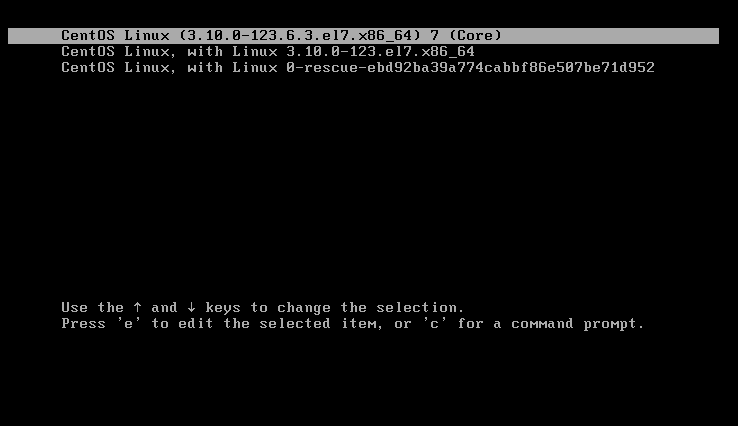
3. Go to the line of Linux 16 and change ro with “rw init=/sysroot/bin/sh”
Before:
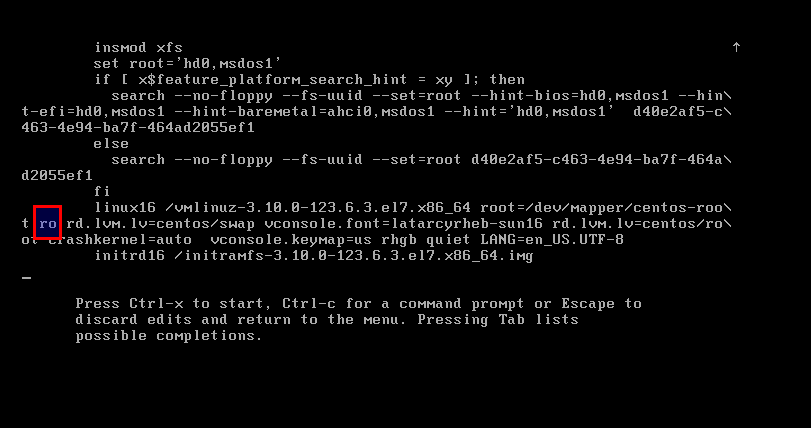
After:??????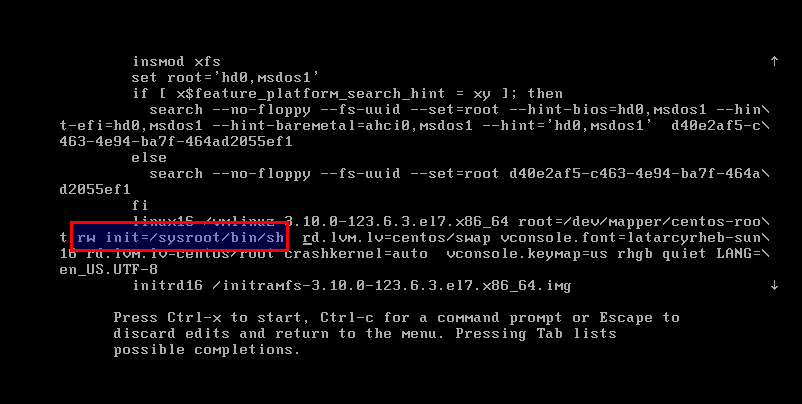
4. Now press “Control+x” to start on single user mode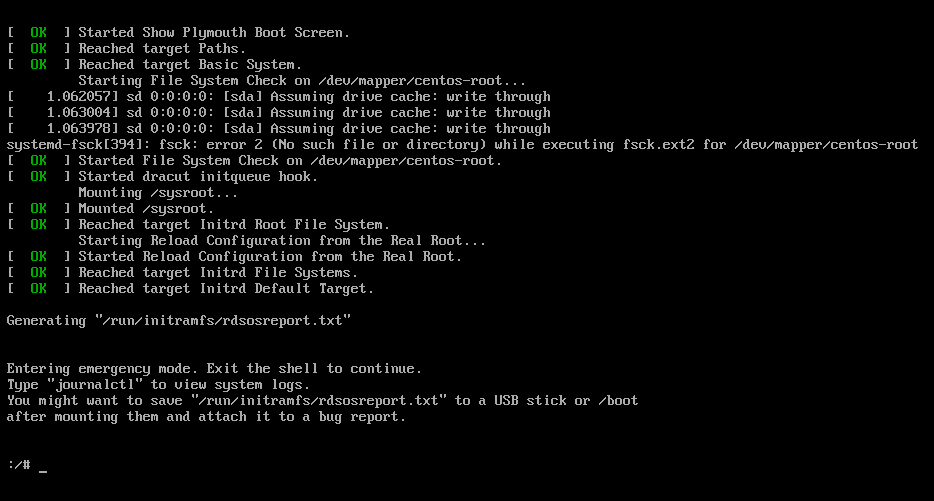
5. Now access the system with this command
chroot /sysroot
6. Reset the password
passwd admin
*Insert your desired password*
7. Update selinux information
touch /.autorelabel
8. Exit Chroot
exit
9. Reboot your system
reboot
10. Once your system is back at the login screen, try logging in using the admin username with the password you configured.
Article Number:
000014411
Updated:
May 14, 2026 07:48 PM (4 months ago)
Tags:
Troubleshooting, SPoT LBS, SPoT
Votes:
0
This article is:
helpful
not helpful